Contribute to the frontend
The Funkwhale frontend is a SPA written in Typescript and Vue.js.
Prerequisites
To quickly run tests, linters, etc. locally, you don’t need to install node or yarn globally (especially useful on Nix):
Run
mise use yarnto enable theyarncommand in your current shellNow you can run all commands documented in
package.jsonwithout installing any funkwhale-specific tools or starting containers on your system globally.
To set up a reproducible environment independent from your system’s installed software packages, and test the app locally, use docker. Setting up Docker.
For editing Vue and Typescript code, install the official Vue language server and configure it for your editor. Most IDEs support Vue tooling.
Development
Ui components and CSS
Make sure to run yarn dev:docs to see the frontend docs. This is the quickest way to confirm CSS and Ui component changes live, and to understand the funkwhale Ui design system (~/ui) and other features such as ~/data and ~/routing. A copy of the ui-docs lives on https://ui.funkwhale.audio (reflecting the develop branch).
The frontend codebase is currently migrating to a feature-based architecture. Read more
Vue and Typescript
Run yarn lint periodically or set up your editor to get eslint annotations while editing your code. We use eslint to format the code. Run pre-commit run to catch typos.
Contributing and reviewing
Feel free to open MRs on dev.funkwhale.audio/funkwhale/funkwhale/.
When working on frontend code, follow WCAG2.2 recommendations (Read more on ui.funkwhale.audio)
We are using a set of Code style rules for reviews
Troubleshooting
Linter and TypeScript errors
If you get errors such as Maximum call stack exceeded, this will be due to a corrupted cache. Run yarn tsc --build --clean and try again. Always clear caches before trying to fix the code. Our frontend stack is notorious for cache invalidation issues and misleading error messages.
Network errors (405 and 404) in the console
If you are using Google Chrome, you may have to disable the network cache:
Go to the Dev Tools
Select the Network tab
In the toolbar under the Network tab, activate the checkmark “Disable Cache”
Edits don’t appear when I check them in the browser
Reload the page with Ctrl+Shift+R (Mac: Cmd+Shift+R)
Make sure you have no add-ons in your browser that mess with the DOM. The best way to check is to open a private window/tab with Ctrl/Cmd+Shift+P (Firefox)
Data requests
Use the Vue DevTools in your browser to inspect the Rate limiter and the Data cache live and to change options such as rate limit or cached resources’ maximum age.
See the comments in the store modules for a complete feature documentation.
Cache
data.ts store - Cache and deduplicate Funkwhale objects
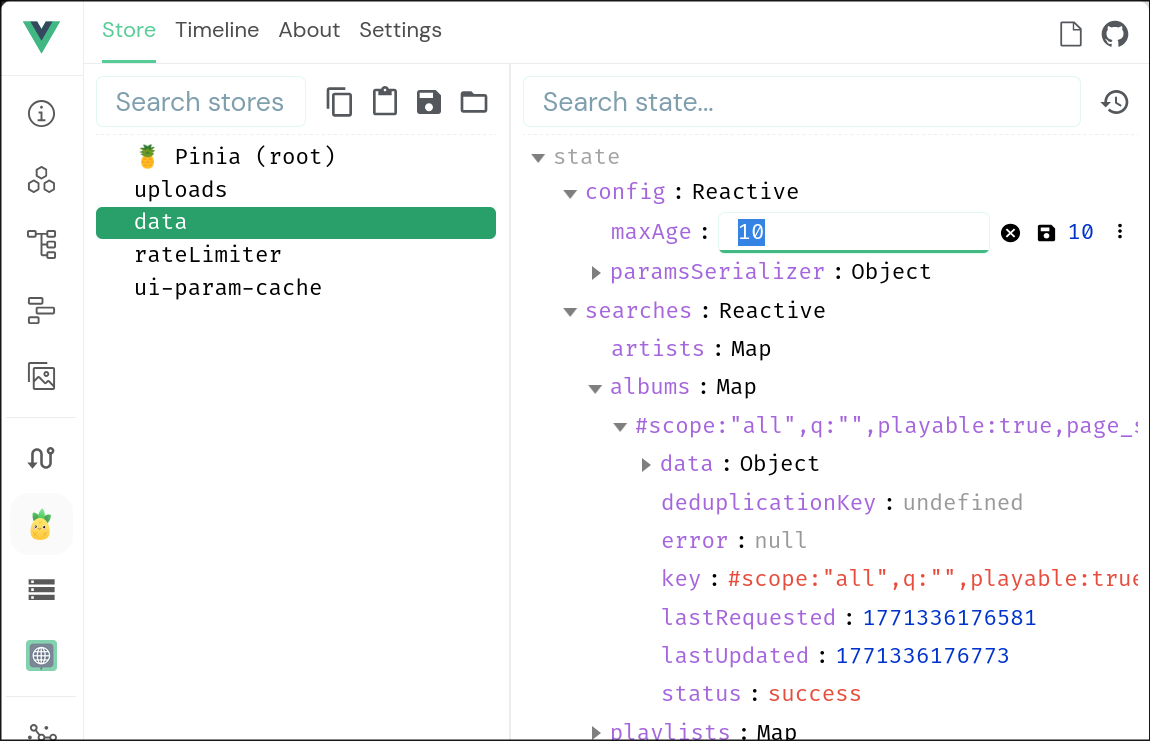
It is currently not possible to completely disable the cache, but you can force cache invalidation by lowering the maxAge. Whenever a frontend component requests a data object, and the cached result is older, this will force a re-fetch.
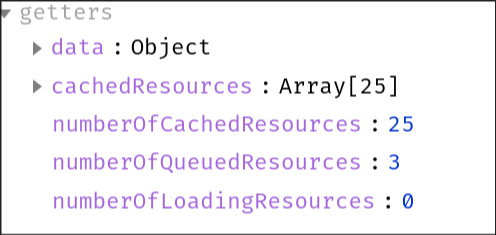
To observe the changes in the cache live, slow down the rate limiter and then switch to the pinia/data/getters view in the DevTools.
Rate limiter
rateLimiter.ts store - Limit the frequency of API calls; prioritize and cancel requests
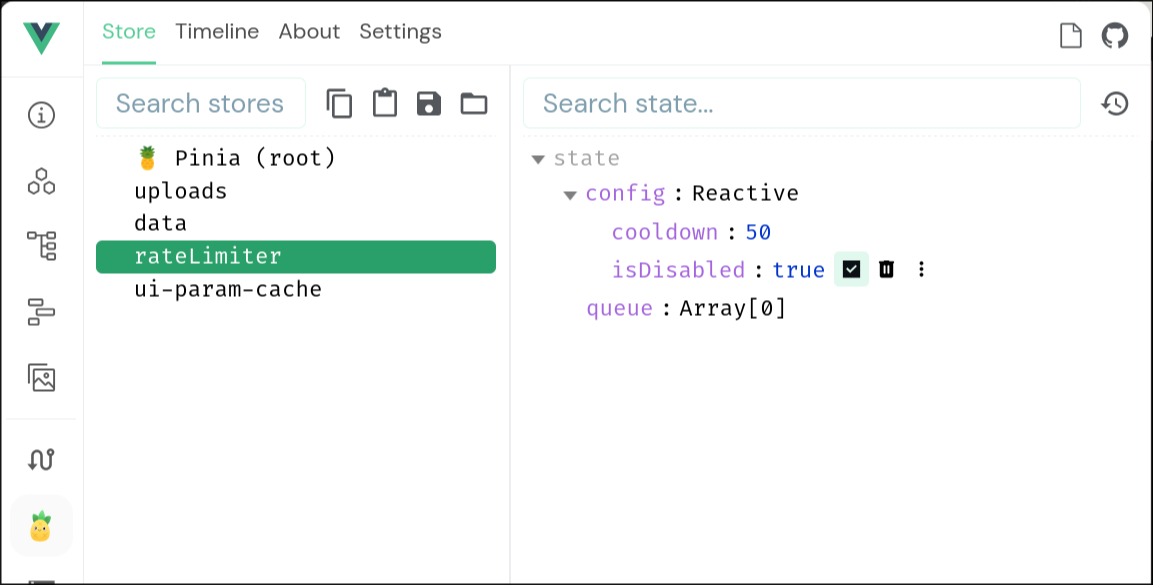
Disable the rate limiter to make the frontend fetch all resources the moment they are requested by any frontend component.
Increase the cooldown time to observe how requests enter and exit the queue.
Unit tests
The Funkwhale frontend contains some tests to catch errors before changes go live. The coverage is still fairly low, so we welcome any contributions.
To run the test suite, run the following command:
docker compose run --rm front yarn test:unit
To run tests as you make changes, launch the test suite with the -w flag:
docker compose run --rm front yarn test:unit -w
End-to-end testing and User testing
[WIP]